
If you want to photograph the awesomeness of leaves and do not want to work too hard, the answer is a LED light pad. We used light pads in the times of botanical and entomological drawings to ink our illustrations on tracing paper. Yes, old stuff: ink, ink pens, tracing paper, tracing, stippling. It would take hours to make a drawing. Now I don’t draw anymore for work, I photograph.
This super-short tutorial is for those who use Adobe Photoshop. It is possible that you can do it with other programs, I have no idea what else is out there. To obtain the photos above,
1) First place your leaf over the light pad and take a picture from above. This is your original, color picture on white background;

2) add a black and white layer, and you will have your black and white picture on white background;
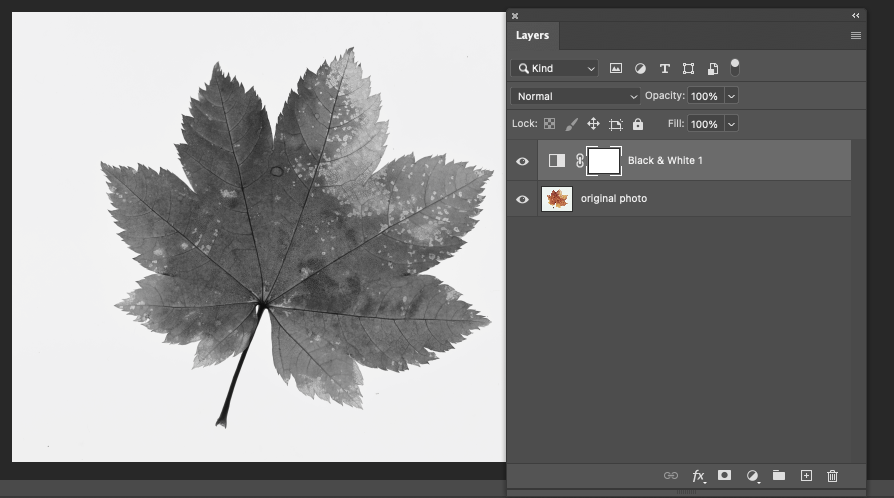
3) Disable the black and white layer and add an invert layer, and you have the inverted color picture;

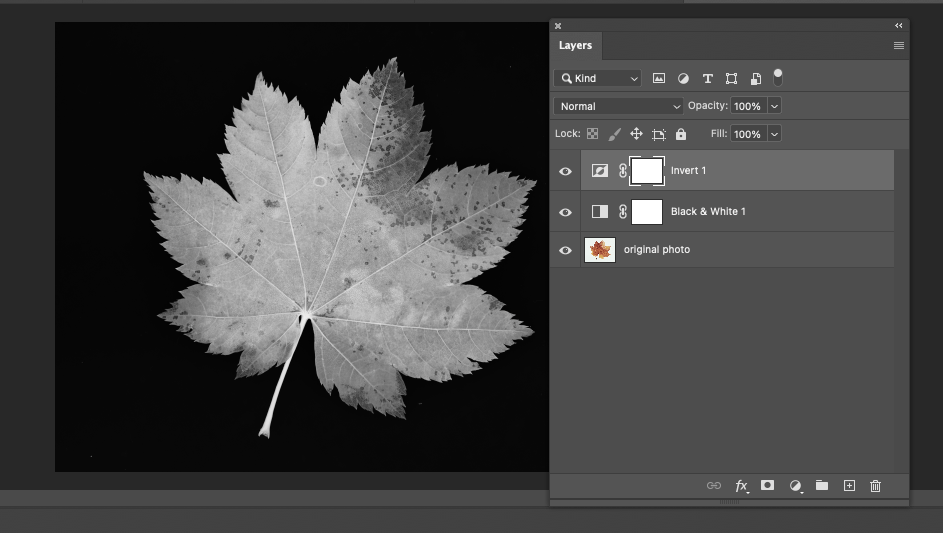
4) Finally, enable the black and white layer again, and you will have a black and white picture on black background.
If you want to try this out, let me know if you have any questions!
______________________________
If you like this blog, subscribe by E-mail to ensure that you don’t miss any updates.
______________________________
Wall Art landscapes and miscellaneous
——————————————–


 It is all about the light
Leave a comment